

一套 智能体 开发环境。
用 OpenChamber 可以做什么。
Session Goals
设定一条终点线,智能体便会一轮轮地朝它推进——即使你关掉应用也不会停。
Multi-run 与 Fusion
把同一个任务交给至多五个模型,保留最好的结果,或把各自最出色的部分融合起来。
Changes Walkthrough
把庞大的 diff 归拢成有序的步骤,讲清这次改动是如何拼合起来的。
Preview
在运行中的应用里指向某个元素,就能把它背后的全部信息发给智能体。
从 issue 到 pull request
从 GitHub issue 或 PR 开始,把失败的检查退回给智能体,不离开应用即可合并。
定时运行
按 cron 计划运行提示词。配合 Session Goals,它会朝着结果持续推进。


你的工作空间,无处不在。
在桌面、浏览器、手机与 VS Code 之间随意切换,思路始终不断。
桌面应用
- macOS、Windows 与 Linux 应用
- 多窗口的项目工作流
- 面向 Finder、Terminal 与你的编辑器的「Open In」快捷方式
- 用于开发服务器、SSH 转发与本地 URL 的 Project Actions
浏览器 / PWA / 移动端
- 随时随地通过浏览器访问
- 适配手机与平板的操作
- 原生移动应用,现已开放测试版
- UI 密码门,让浏览器访问可以放心公开
- 后台通知与跨标签页的会话活动
代码编辑器
- 编辑器原生的工作流
- 直接从工具输出打开文件
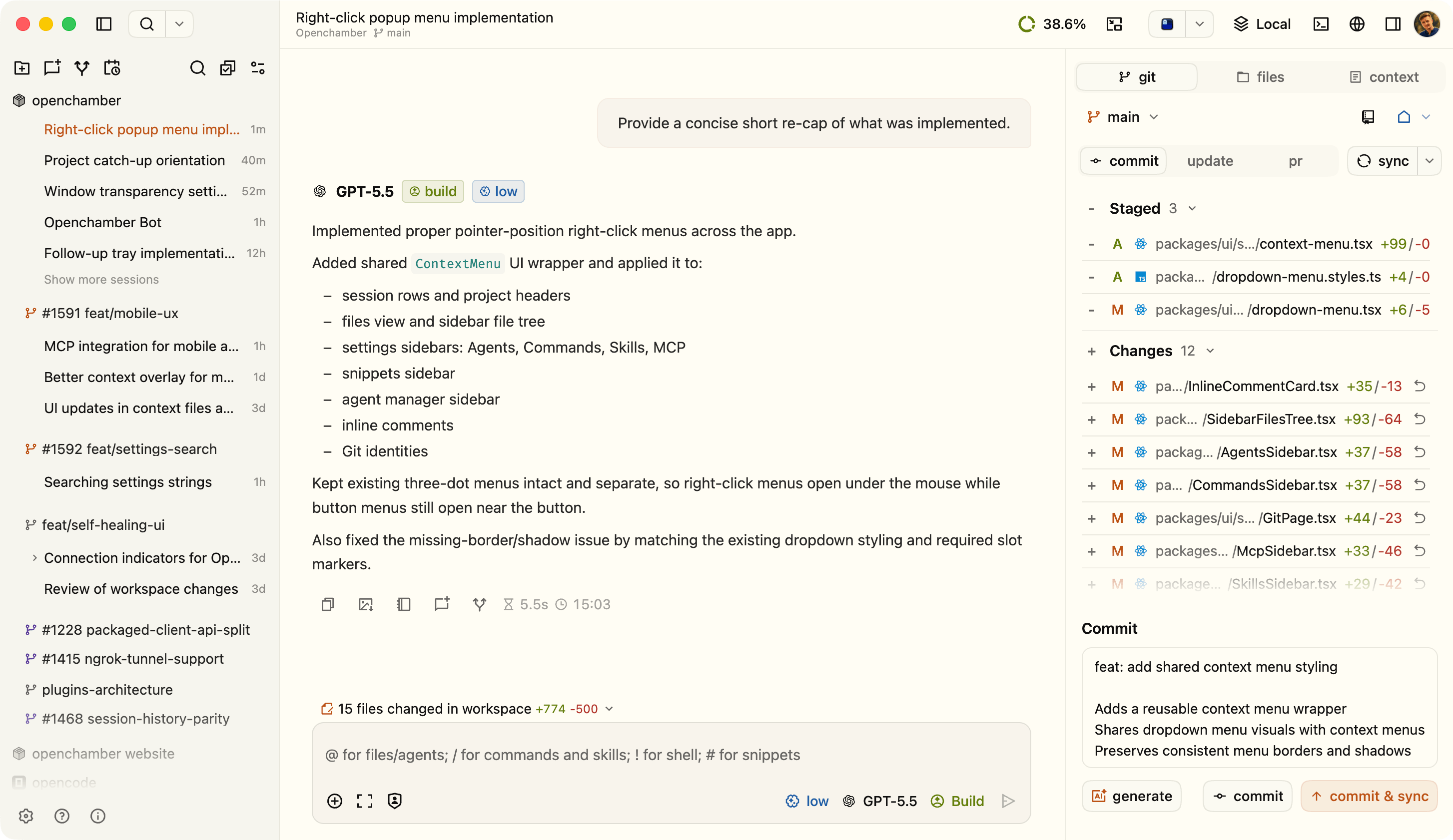
- 在选区与文件上右键执行上下文操作
- 用于多模型并行运行的 Agent Manager

这就是我们继续做下去的理由。
我们从未请求过的帖子,来自每天在用的人。
 @Boripheus
 After years of switching between IDEs and TUIs, I found the sweet spot for everything I need: Openchamber.
 @logic
 Opencode + OhMyOpencode + Openchamber. This is some cooked stack. VSCode looks like legacy notepad++ now.
 @1un4rPunk
 Seriously, I've spent almost the whole week trying to find a tool that made sense to orchestrate agents and, as a dev (actually, a devops), openchamber is the only one that felt natural and logical.
 @AkakaFavour
 Best thing that has ever happened to me fr. I ship from anywhere: open code paired with openchamber + open design + agent browser.
 @friendorfi
 openchamber + opencode is a gamechanger, trust my words.
 @JohnRoyNL
 Switched to OpenCode and OpenChamber and never looked back. Wrote an MCP server for it to use it with Home Assistant Voice Assist for doing things on the go.
 hkay-dev
 I just want to say the app itself is phenomenal. The level of polish is just unreal. I saw OpenChamber back when it was a small project, I think maybe a couple months ago, and now it is unrecognizable. Truly amazing work. The latest release with its streaming feature is everything I could have possibly asked for and more. It is gorgeous and smooth.
 @drdanponders
 Stop using Openclaw for coding! Use OpenCode and OpenChamber instead!
 @realchendahuang
 I've had a deep experience with openchamber. I think my choice was right. This thing is really useful, smooth and silky.
 @PeaweeBoomhall
 alllll day, every day. I use OpenChamber as my UI for it. Amazing experience.
 @NihilSineTheo
 Was looking for a way to run agents from my phone, remotely on my server, other than tmux. Found OpenChamber. It is INSANELY good, highly recommended.
隐私与数据
我们不收集任何与你工作相关的信息,也不会把它发送到任何地方。代码与会话内容都留在你自己的机器上;当工作空间离开 localhost 时,远程访问还可以加上保护。
代码与会话留在你这里
项目名称、路径、提示词、代码、diff、会话内容——OpenChamber 一概不收集。
远程访问受到保护
浏览器访问可以用 UI 密码把守,隧道链接在不该再用时也能轮换或吊销。
隐私可被审视
OpenChamber 是开源的,隐私机制就明明白白写在代码里,而不是藏在条款的措辞背后。
Private Relay,无需开放端口
用一次性二维码配对设备,通过 Private Relay 连接,无需开放端口或暴露公网服务器。连接端到端加密,并可随时吊销。
OpenChamber 常见问题
是的。OpenChamber 是开源的,代码可在 GitHub 上获取。
目前 OpenChamber 运行在 OpenCode SDK 之上——选它是因为它带来了眼下最好的开源智能体体验。用
curl -fsSL https://opencode.ai/install | bash 即可安装。是的。OpenChamber 本身是免费的。
可以。你可以通过浏览器 UI 远程打开它,在需要时使用隧道,并用 UI 密码保护访问。
还有其他问题? 查看文档